How Much RAM Do You Need in a Phone? 8GB vs 12GB vs 16GB
How much RAM does a phone really need? Here's when 8GB is enough, who should get 12GB or 16GB, and why virtual RAM doesn't count.
How much RAM do you need in a phone? For most people the honest answer is less than phone ads suggest, but a little more than it was a few years ago. This guide explains what RAM actually does, when 8GB is enough and when 12GB or 16GB is worth paying for, why iPhones get by with less, and what “virtual RAM” really means.
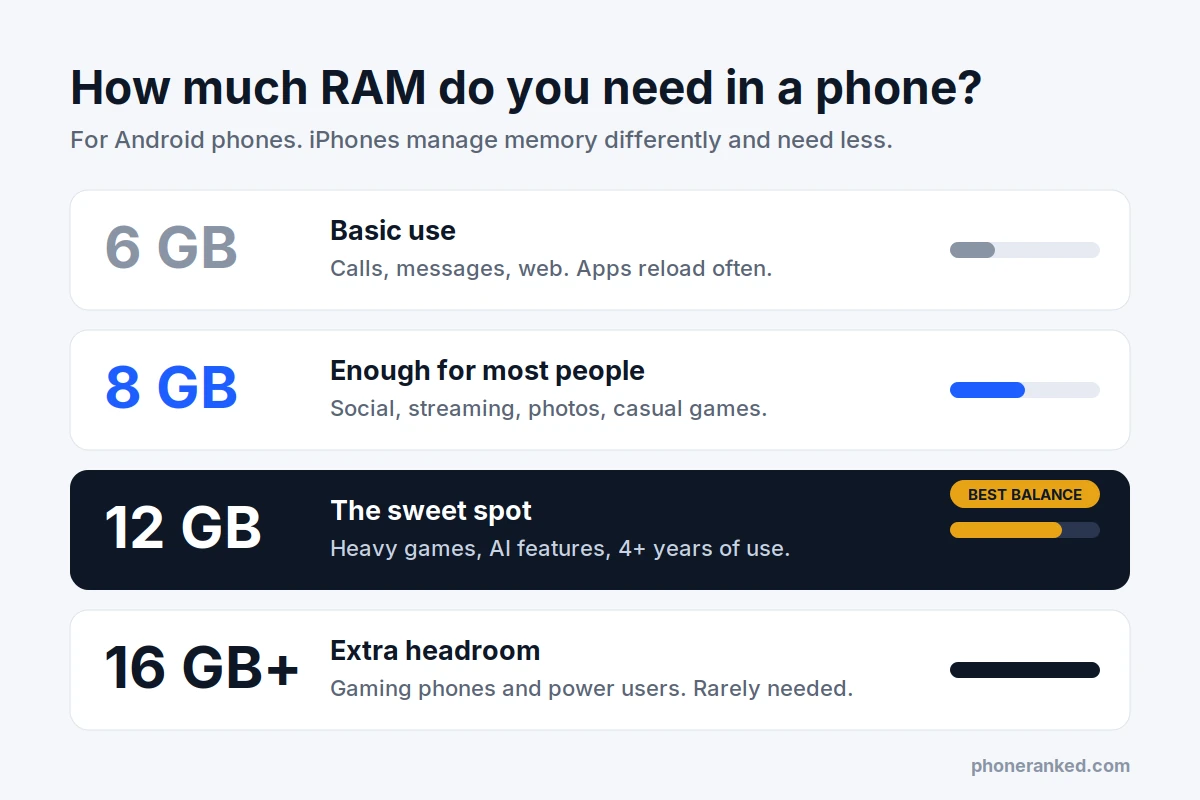
The short answer
- 8GB is enough for most Android users: messaging, social apps, streaming, photos and casual games.
- 12GB is the sweet spot if you keep a phone for four years or more, play demanding games or want every on-device AI feature.
- 16GB or more is rarely needed. It mostly shows up on gaming phones and top flagships.
- 6GB or less works for basic use, but apps will reload more often.
- iPhones need less RAM than Android phones to feel smooth, so compare iPhones with iPhones.
- Virtual RAM is not real RAM. Ignore it when you compare phones.
What does RAM do in a phone?
RAM (random access memory) is your phone’s short-term working memory. Every app you open, every browser tab and every photo you edit is loaded into RAM so the chip can work with it instantly.
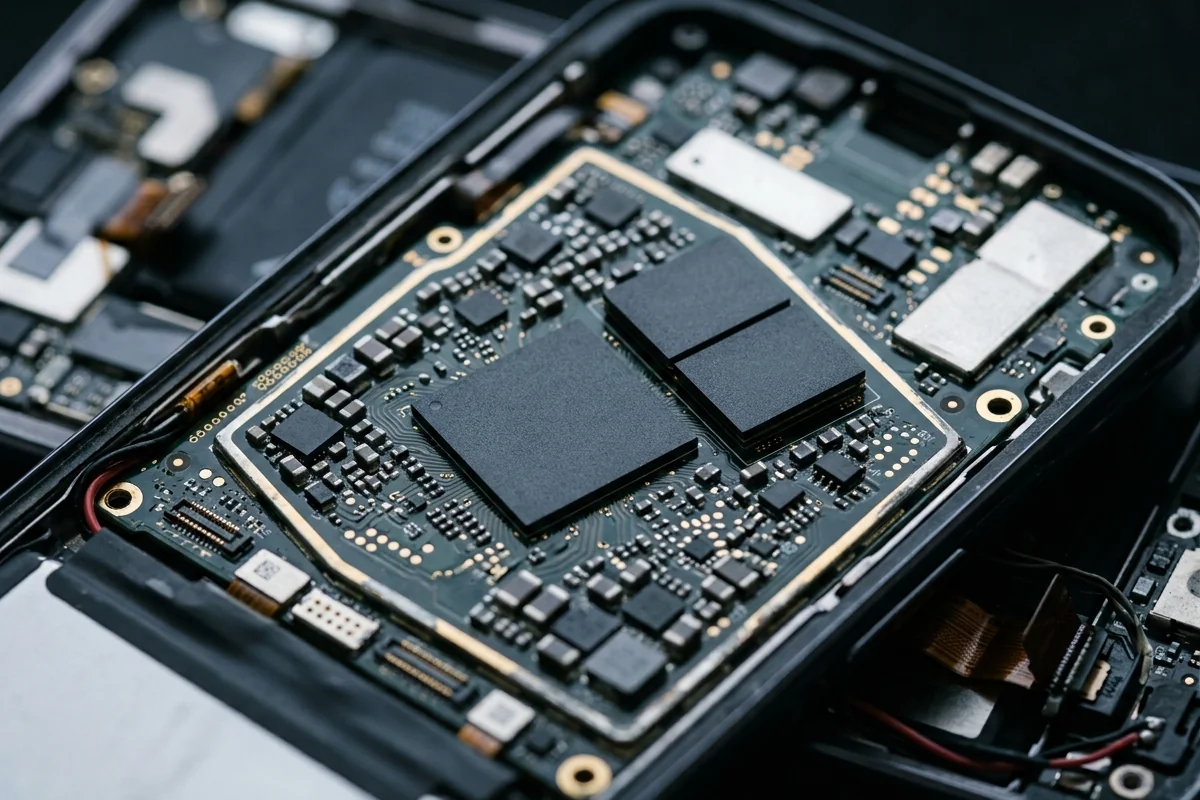
A simple way to picture it: RAM is your desk, storage is your filing cabinet. Storage (128GB, 256GB and so on) keeps your apps, photos and files even when the phone is off. RAM is the desk where you spread out whatever you are working on right now. It is much faster than storage, but it is small and it is wiped when the phone restarts.
The bigger the desk, the more things can stay open at once. When the desk is full, the phone has to put something away. On Android and iPhone alike, the system quietly closes apps you have not used for a while to make room.
That is what running out of RAM looks like in real life. The phone does not crash or freeze. Instead, you switch back to an app and it starts over: the browser reloads the page, the game shows its loading screen again, or the half-written message in a chat app is gone. The camera app may also take a second longer to open if the phone first has to free up memory.
How much RAM do you need: 8GB vs 12GB vs 16GB
For an Android phone, here is what each common amount of RAM means in daily use. These are practical guidelines, not hard limits: a well-optimized phone with 8GB can feel smoother than a poorly tuned one with 12GB.
| RAM | Who it’s for | What to expect |
|---|---|---|
| 4GB | The cheapest phones only | Works for calls, messages and a browser, but apps close in the background almost constantly. |
| 6GB | Light users, budget phones | Fine for a few apps at a time. Switching between many apps means frequent reloads. |
| 8GB | Most people | Handles social media, streaming, navigation, photos and casual games comfortably. |
| 12GB | Heavy users, long-term owners | More apps stay open, demanding games keep their place, and there is room for on-device AI. |
| 16GB | Gamers and power users | Plenty of headroom. Most people will not notice a difference from 12GB. |
| 24GB | Gaming phones | Mostly a spec-sheet number today. No everyday app needs this much. |
The most important question is not “how much RAM is best” but how long you plan to keep the phone. Apps and Android itself get a little heavier with every update. A phone that feels roomy with 8GB today can feel tighter in its fourth or fifth year, while 12GB leaves more room to grow.
Is 8GB of RAM enough for a phone?
Yes, for most people. With 8GB, an Android phone can keep your messaging apps, a browser, music, maps and a social app open at the same time and switch between them without reloading.
You are likely to feel the limit with 8GB if you often:
- jump between a big 3D game and other apps, such as a chat or a video guide;
- keep dozens of browser tabs open and expect them all to be there;
- edit photos or video while other heavy apps run in the background;
- plan to keep the phone for five years or more.
If none of that sounds like you, 8GB is a sensible choice and the money is usually better spent on a faster chip, a bigger battery or a better camera. If several of those points fit, look for 12GB.
Why do iPhones have less RAM than Android phones?
Recent iPhones ship with 8GB or 12GB of RAM, while many Android phones at the same price have 12GB or 16GB. That does not make iPhones slower, because the two systems use memory differently.
Android apps run on a runtime that cleans up unused memory in batches (a process called garbage collection), which works best with extra free space to spare. iPhone apps free memory the moment they stop needing it, and iOS is stricter about what apps may do in the background. In practice, an iPhone with 8GB feels about as roomy as an Android phone with more.
The takeaway: compare RAM only between phones on the same system. Apple also does not list RAM on its spec pages, so on iPhones it matters less as a buying number, with one exception: AI features, covered below.
Does RAM matter for gaming?
Less than most people think. Frame rates in games depend mostly on the chip and on how well the phone handles heat. RAM decides something else: whether the game is still there when you come back to it.

Large 3D games use a lot of memory. With too little RAM, answering a message in the middle of a match can push the game out of memory, and you land back on the loading screen. With 12GB, the game and a couple of other apps can stay open together.
Gaming phones with 16GB or 24GB have more RAM than any game needs today. The extra memory is headroom for the future, not extra frames per second. If gaming is your priority, look at the chip, cooling and screen first; our best gaming phones ranking sorts phones by exactly that.
How much RAM do you need for AI features?
This is where RAM has become more important. Assistants and AI features that run on the phone itself, such as summarizing a recording or rewriting a message without sending it to the cloud, rely on AI models that have to be loaded into RAM. Some are designed to stay in memory all the time so they respond instantly, and that memory is no longer available for your apps.
Phone makers have already drawn lines based on RAM. When Google launched its on-device Gemini Nano model, it shipped on the 12GB Pixel 8 Pro but not on the 8GB Pixel 8, which later got it only as a developer option. Apple Intelligence runs only on iPhones with at least 8GB of RAM, and some of Apple’s newest on-device features need 12GB.
The pattern is clear: more capable AI models need more memory. If AI features matter to you, or you want a phone that can run the next few years of them, 12GB is the safer choice on Android.
What is virtual RAM, and does it help?
Many Android phones advertise figures like “8GB + 8GB RAM.” The second number is virtual RAM, sold under names such as RAM Plus, Memory extension or Extended RAM. It is simply a part of your storage set aside as overflow space for memory.
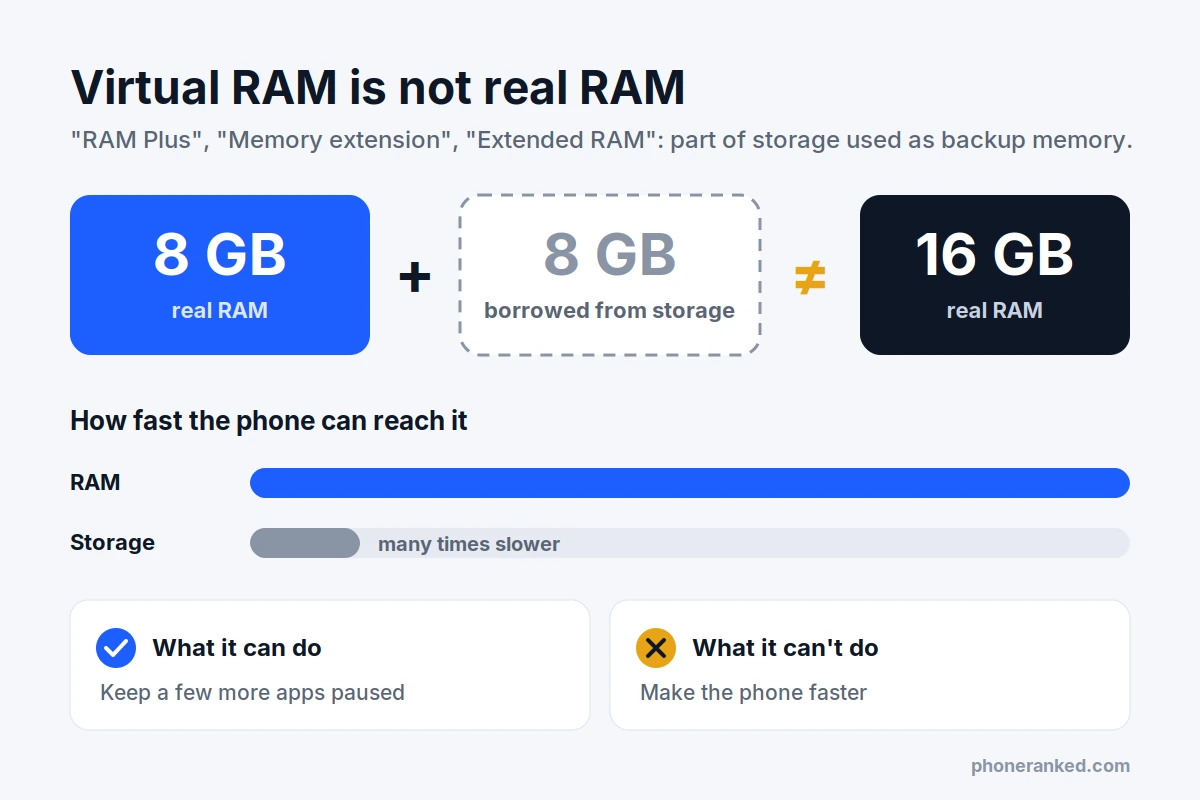
When real RAM fills up, the phone can move apps you are not using into that storage area instead of closing them. The catch is speed: storage is many times slower than RAM, so an app parked there takes longer to come back, and the phone never runs faster because of it.
- What it can do: keep a few more apps paused instead of closed, which helps a little on phones with 4GB or 6GB.
- What it cannot do: replace real RAM or make games, apps or the camera faster.
- What to do with it: leave it at the default setting, and ignore it completely when you compare phones.
The same goes for ads that say “up to 16GB RAM” on a phone that physically has 8GB. Always look for the real RAM figure in the full spec sheet.
Does more RAM make a phone faster?
Only up to the point where you stop running out. Once your apps fit comfortably in memory, extra RAM just sits empty. A phone with 16GB will not open apps, load web pages or process photos faster than the same phone with 12GB. Speed comes from the chip, and the chipset pages show how each one performs.
What can matter is the type of RAM. Spec sheets list it as LPDDR4X, LPDDR5 or LPDDR5X, and newer generations move data faster and use less power. It is tied to the chip, so a phone with a recent chip usually has recent RAM too.
Also, do not worry if your phone shows little free RAM. That is normal and intentional: both Android and iOS keep recently used apps in memory so they open instantly. Unused RAM is wasted RAM.
Can you add more RAM to a phone?
No. A phone’s RAM is soldered directly on top of or next to the chip, so it cannot be upgraded later the way it sometimes can in a laptop. The amount you buy is the amount you will have for the life of the phone.
That makes one detail important: the same phone often comes with different amounts of RAM. A 128GB version might have 8GB of RAM while the 256GB version has 12GB, and some regions get different configurations. Check the exact version before you pay, not just the model name.
How to check how much RAM your phone has
On most Android phones, open Settings → About phone. Depending on the brand, RAM is listed there or under a section such as Specifications, Memory or Device care. If it only shows storage, search “RAM” in the Settings search bar.
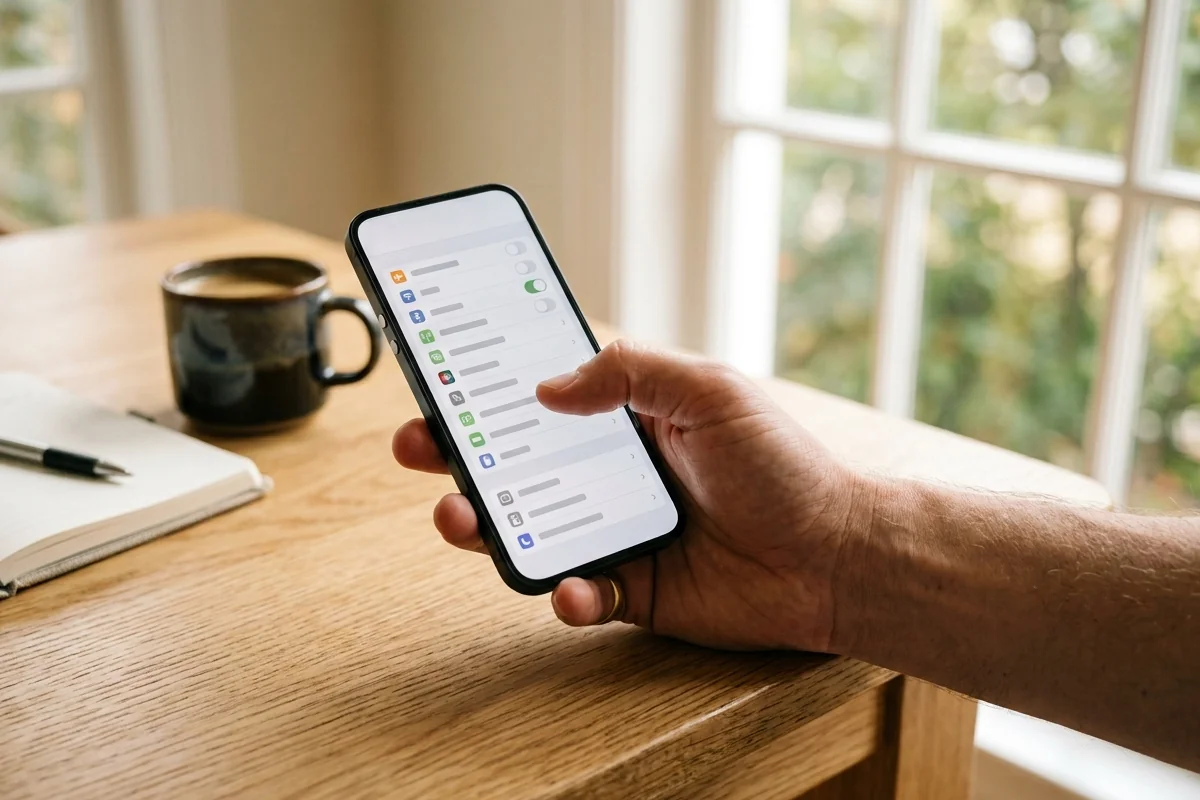
iPhones do not show RAM anywhere in Settings. The easiest way is to look up your exact model: every phone page on PhoneRanked lists RAM for each version.
How to choose the right amount of RAM
- Decide how long you will keep the phone. Two or three years: 8GB is fine. Four years or more: aim for 12GB.
- Be honest about how you use it. Messaging, social, video and photos fit in 8GB. Heavy gaming, lots of multitasking and AI features point to 12GB.
- Compare within one system. Compare iPhones with iPhones and Android phones with Android phones.
- Check the exact version. RAM can change with the storage option and the region.
- Ignore virtual RAM and “up to” figures. Only the real RAM counts.
- Do not overpay for 16GB+ unless you are a serious gamer. That money is usually better spent on the chip, battery or camera.
Ready to shop? Use the Phone Finder to show only phones with 8GB of RAM or more or 12GB or more, then narrow the list by price, battery and camera.
Quick answers
Is 6GB of RAM enough for a phone?
For basic use, yes: calls, messages, browsing and a couple of apps. If you switch between many apps, expect them to reload often, and 6GB will feel tighter each year as apps grow.
Is 16GB of RAM overkill in a phone?
For most people, yes. It helps heavy gamers and people who keep many demanding apps open, but in everyday use it feels the same as 12GB.
Does more RAM drain the battery faster?
Not in any way you would notice. RAM uses very little power compared with the screen, the chip and the cellular connection, so it should not decide which phone you buy.
Should I close apps to free up RAM?
No. Android and iOS manage memory on their own, and reopening a closed app from scratch uses more power than resuming it. Close an app only if it is frozen or misbehaving.
Do RAM cleaner or booster apps work?
No. They close apps that the system would have handled anyway, and those apps then reload more slowly. Some of these apps also show ads or collect data, so it is best to skip them.
How much RAM does an iPhone have?
Apple does not publish RAM figures, but recent iPhones have 8GB or 12GB. Every iPhone that supports Apple Intelligence has at least 8GB.