Phone Battery Health: How to Make Your Battery Last Years, Not Hours
Heat, charging habits and the 80% limit decide how many years your battery lasts. Here’s what wears it out, how to check battery health and when to replace it.
Every phone battery wears out, but how fast it happens is largely up to you. Phone battery health is how much charge your battery can still hold compared with when it was new, and a few simple habits and settings can keep it high for years instead of months. This guide explains what actually ages a battery, which charging habits matter and which are myths, how to check your battery’s health and when a replacement makes sense.
The short answer
- Heat is the biggest enemy. Don’t leave your phone in a hot car or in the sun, and take off a thick case if it gets hot while charging.
- Sitting at 100% wears a battery faster. Turn on your phone’s charge limit or optimized charging, which keeps it at about 80% most of the time.
- Partial top-ups are fine. You don’t need to drain the battery to 0% or charge it to 100%. Try not to run it empty often.
- Most new phones are built to keep about 80% of their capacity for 800 to 1,000 full charge cycles, which is roughly two to three years of daily use.
- Check battery health in your phone’s settings. Below about 80%, a new battery usually costs far less than a new phone.
- A swollen battery is a safety issue: stop using the phone and get it repaired.
How long does a phone battery last?
A phone battery doesn’t die on a set date. It slowly loses capacity, so a battery that once got you through a full day may only get you to dinner a few years later. Makers measure its lifespan in charge cycles and treat 80% of the original capacity as the point where the battery is considered worn.
One charge cycle means using 100% of the battery’s capacity in total, not one trip to the charger. If you use half the battery and then top it back up, that’s half a cycle. Use another half tomorrow, and the two together make one full cycle.
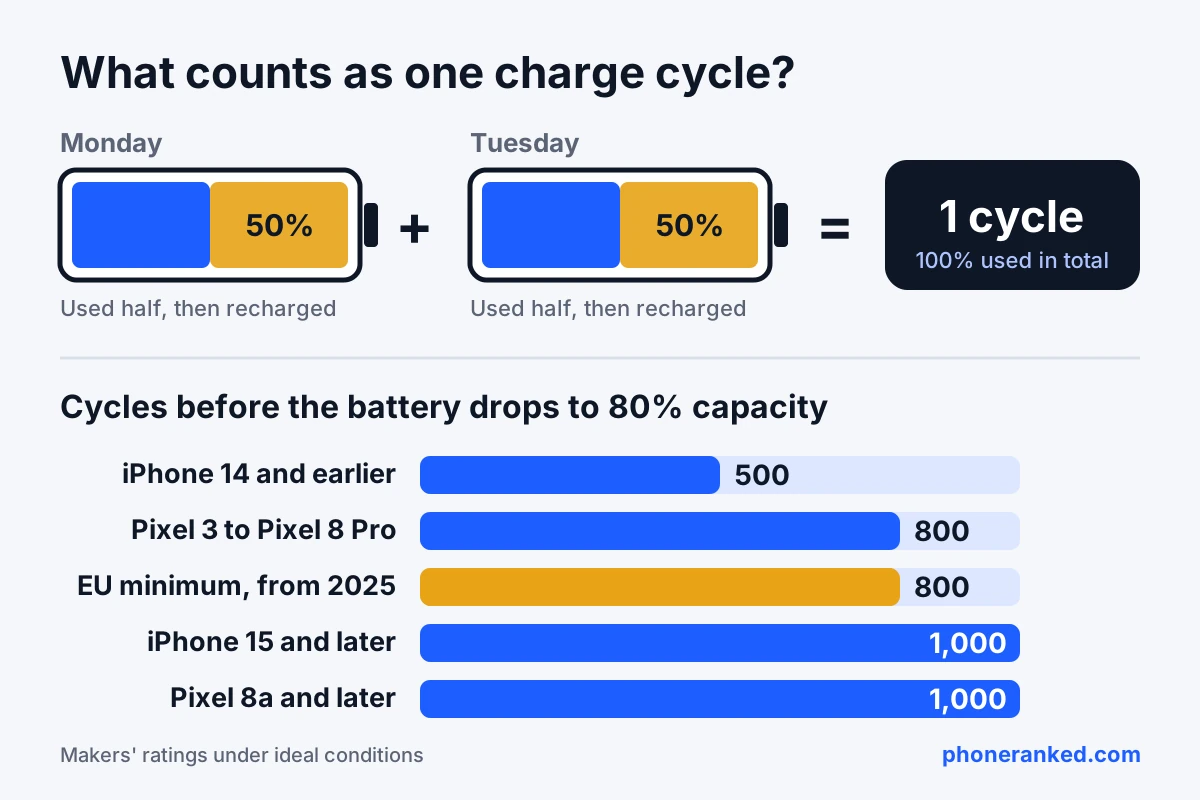
Here’s what phone makers and regulators say a battery should handle before it drops to 80%:
| Phones | Designed to keep 80% capacity for |
|---|---|
| iPhone 14 and earlier | 500 full charge cycles |
| Google Pixel 3 to Pixel 8 Pro, Pixel Fold | About 800 cycles |
| New phones sold in the EU from June 20, 2025 | At least 800 cycles (legal minimum) |
| iPhone 15 and later | 1,000 cycles |
| Google Pixel 8a and later | About 1,000 cycles |
These are ratings under ideal conditions, not guarantees. If you get through about one full cycle a day, 800 cycles is a little over two years and 1,000 cycles is close to three. A phone you charge less often, or one with a bigger battery that uses a smaller share of its capacity each day, goes through cycles more slowly and ages more slowly too.
That’s also why how you treat the battery matters as much as the rating. Two identical phones can end up years apart in phone battery health depending on heat and charging habits.
What actually wears out a phone battery?
Phone batteries are lithium-ion, and every lithium-ion battery ages through slow chemical reactions inside it. You can’t stop that, but you can slow it down a lot. Three things speed it up:
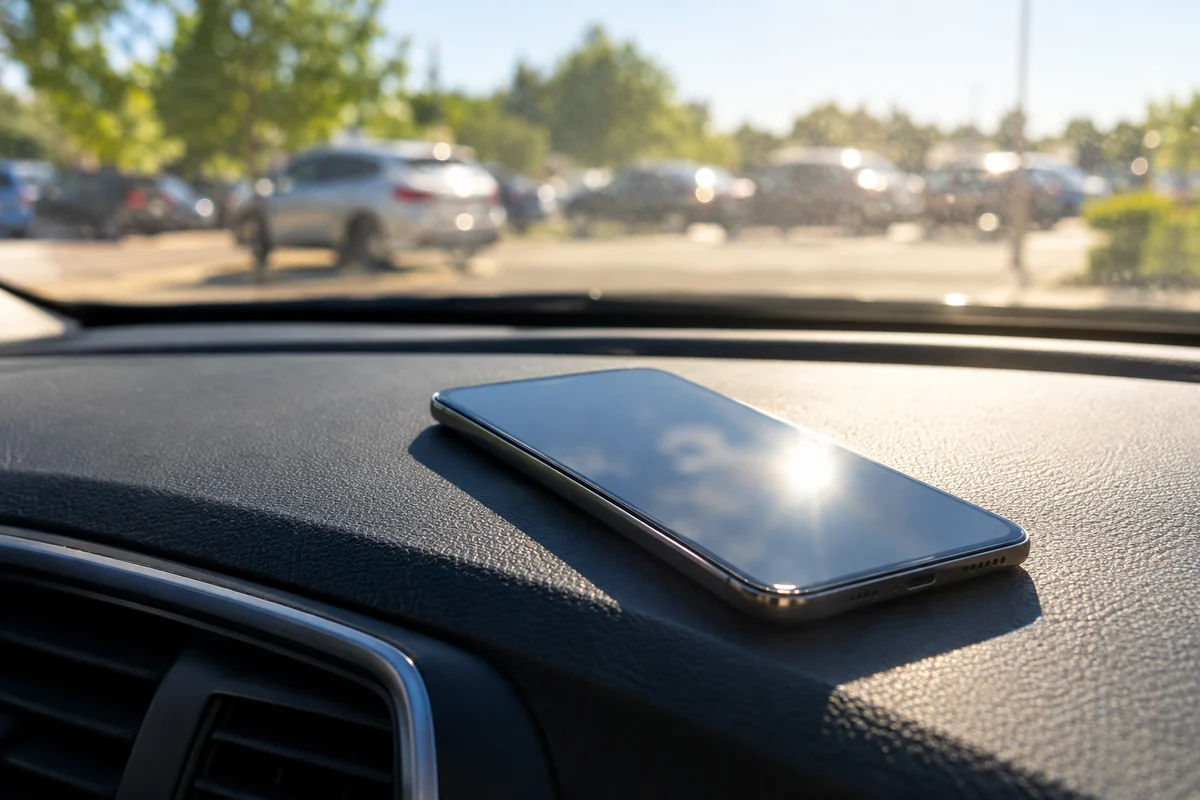
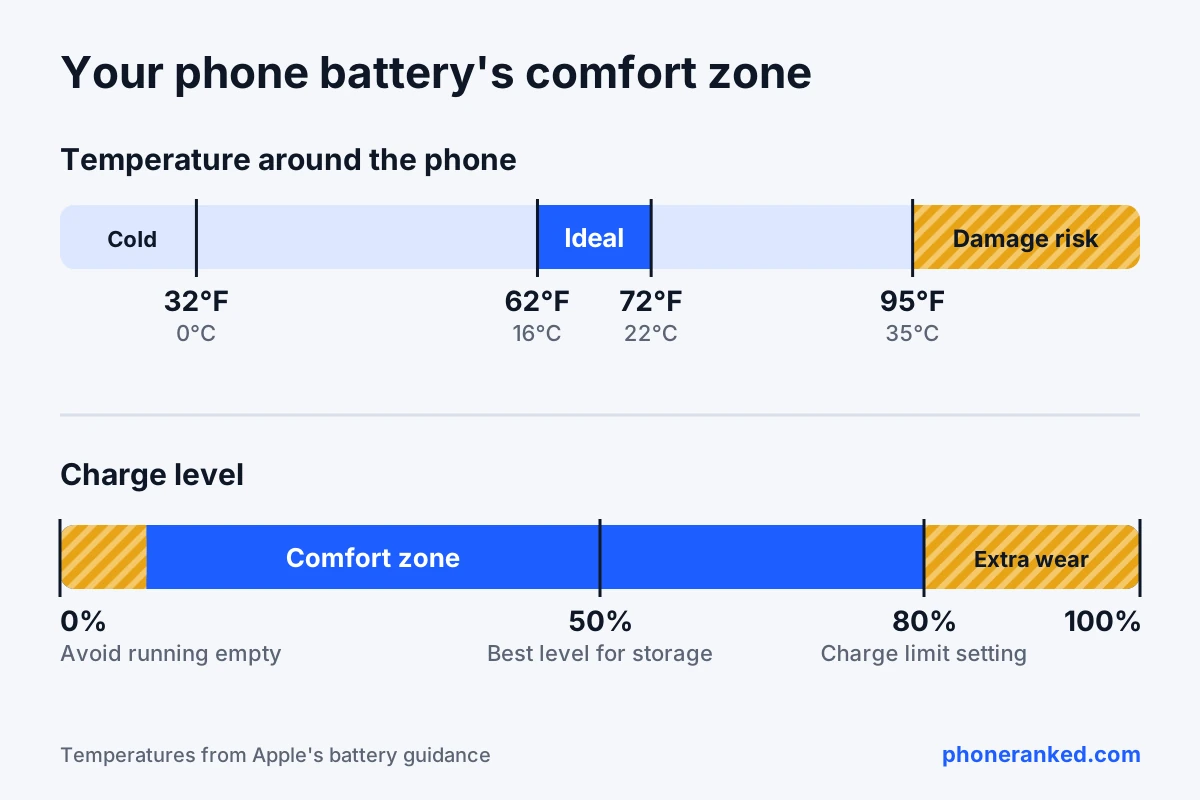
- Heat. This is the big one. Apple says ambient temperatures above 95°F (35°C) can permanently reduce battery capacity, and its ideal comfort zone is 62°F to 72°F (16°C to 22°C). Google warns against leaving a Pixel for six hours or more in temperatures above 95°F (35°C).
- Time spent full. A battery at 100% sits at its highest voltage, and high voltage adds stress. A phone that spends every night at 100% ages faster than one that waits at 80%.
- Deep discharges and heavy cycling. Each cycle adds a little wear, and running the battery all the way down to 0% is harder on it than shallow top-ups.
Heat and a full charge together are the worst combination. A phone left at 100% on a sunny car dashboard, or charging under a pillow, gets both at once.
Cold is different. A cold phone shows a lower battery percentage and may shut down early, but Apple notes that the effect is temporary. If your phone has been out in freezing weather, let it warm up to room temperature before you charge it.
Some old advice no longer applies. Lithium-ion batteries have no “memory,” so you don’t need to drain them fully, and a new phone doesn’t need a long first charge. Closing apps doesn’t help battery health either.
Should you charge your phone to 100%?
You can, and it won’t break anything, but the less time your battery spends at 100%, the longer it stays healthy. That’s why iPhones, Pixels and Galaxy phones all have a built-in way to stop charging at about 80%. You give up some daily battery life, and in return the battery wears more slowly.
Here’s where to find these settings:
| Phone | Where to find it | What it does |
|---|---|---|
| iPhone 15 and later | Settings > Battery > Charging | Charge Limit from 80% to 100% in 5% steps. Optimized Battery Charging works when the limit is set to 100%. |
| iPhone 14 and earlier | Settings > Battery > Battery Health & Charging | Optimized Battery Charging, which learns your routine and waits at 80% before finishing. |
| Google Pixel | Settings > Battery > Battery health > Charging optimization | Adaptive Charging, or Limit to 80% on Pixel 6a and later. |
| Samsung Galaxy (One UI 6.1 and later) | Settings > Battery > Battery protection | Basic (stops at 100%, resumes at 95%), Adaptive (holds at 80% while you sleep) or Maximum (stops at 80%). |
| Other Android phones | Battery settings | Look for a charge limit, battery protection or smart charging option. Names vary by brand. |
Don’t be surprised if your phone occasionally charges to 100% with a limit turned on. iPhones do it from time to time to keep their battery estimates accurate, and Pixels with Limit to 80% fully charge every 10th cycle for the same reason.
Which option should you pick? If you usually end the day with a third of your battery or more left, turn on the 80% limit. If you need every bit of battery, use the adaptive or optimized option instead: it still charges to 100%, just shortly before you unplug. You can always switch the limit off before a long trip.
At the other end, try not to run the battery flat on a regular basis. Plugging in when you’re somewhere around 20% to 30% is a comfortable habit, and topping up several times a day is perfectly fine.
Is it bad to charge your phone overnight?
Not on a modern phone. It won’t overcharge: once the battery is full, the phone stops charging and only tops up as the level drops. The real issue is the hours it spends sitting at 100% while you sleep, and that’s exactly what adaptive charging solves.
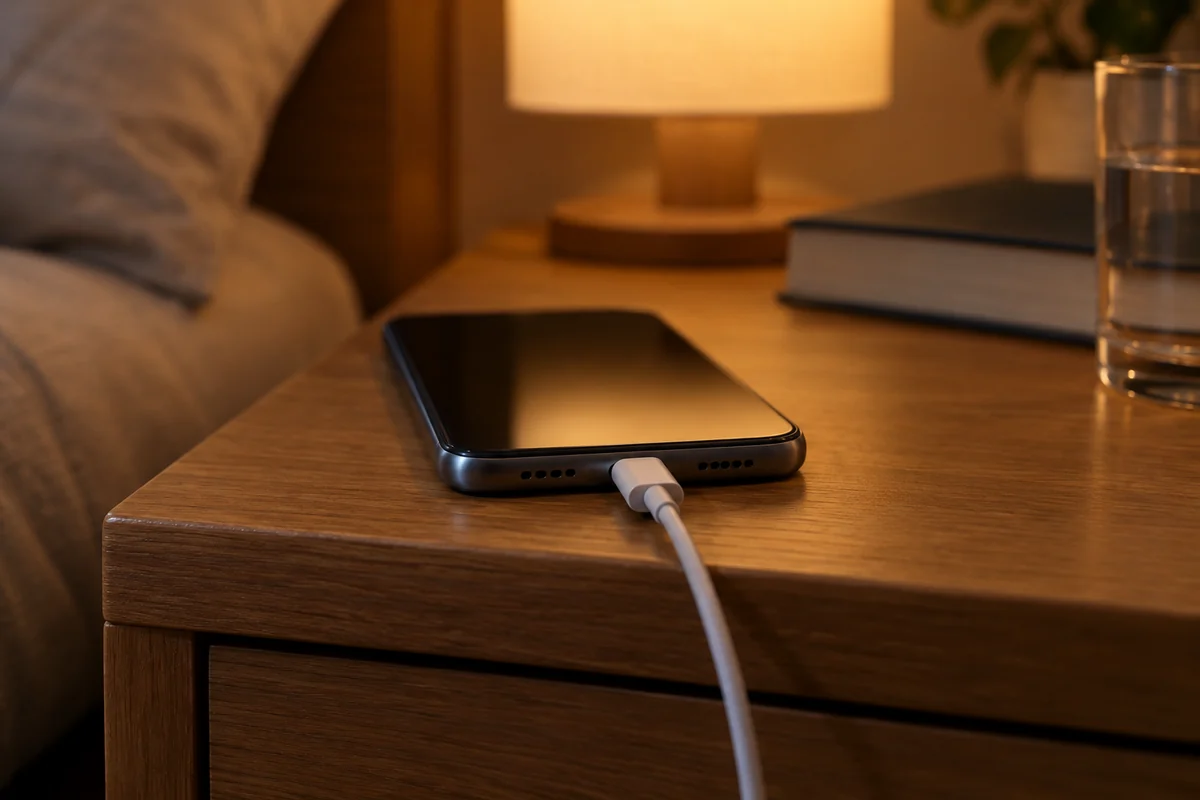
Apple’s Optimized Battery Charging, Google’s Adaptive Charging and Samsung’s Adaptive battery protection learn when you usually wake up. They hold the battery at about 80% for most of the night and finish charging shortly before you unplug. Give them a couple of weeks: Apple and Google both say the feature needs about 14 days to learn your routine.
Two simple rules make overnight charging even gentler:
- Charge on a hard surface. Not under a pillow, on a soft blanket or squeezed between the mattress and the wall, where heat can’t escape.
- Take off a thick case if the phone gets warm. Apple specifically recommends removing cases that trap heat while charging.
Does fast charging or wireless charging wear out the battery?
Fast charging on its own isn’t what ages a battery. Phones are designed for their own charging speeds: they watch the battery temperature, slow down when it warms up and charge the last part slowly on purpose. What matters is heat, so fast charging in a cool room is gentler than slow charging on a hot windowsill. Our guide to fast charging explained covers chargers, watts and cables in detail.
Wireless charging is a little less efficient than a cable, and some of the lost energy turns into heat, so a phone on a wireless pad usually runs warmer. If yours gets noticeably hot on a pad, charge it with a cable when you can, especially overnight.
Gaming while plugged in is the toughest case, because the chip and the charger heat the phone at the same time. Some phones can skip the battery and power the phone straight from the charger while you play. On Samsung Galaxy phones, for example, it’s the “Pause USB PD charging when gaming” option in Game Booster, which needs a 25W or faster USB PD charger with PPS.
How to check phone battery health
Most phones now show battery health right in the settings:
- iPhone: Settings > Battery > Battery Health (Battery Health & Charging on older models) shows the maximum capacity as a percentage. On iPhone 15 and later, Settings > General > About also shows the cycle count.
- Google Pixel 8a and later: Settings > Battery > Battery health shows “Normal” or “Reduced,” and Reduced means capacity is below 80%. The cycle count is in Settings > About phone > Battery information.
- Samsung Galaxy: open the Samsung Members app, go to Support > Phone diagnostics and tap Battery status. The result is Normal, Weak or Bad. Some recent Galaxy models in some regions also list the cycle count in the battery settings.
- Other Android phones: look in Settings > Battery, or in the maker’s own support or diagnostics app.
A brand-new phone may already show slightly under 100%, depending on how long it sat between the factory and the day you turned it on. That’s normal.
Battery health can’t be pushed back up. Draining and recharging the phone to “calibrate” it only corrects the reading, not the capacity. And on Pixel 6a and later, Battery Health Assistance slowly lowers the battery’s maximum voltage from 200 cycles onward to keep it healthy, so charging may feel slightly different on an older Pixel. That’s intentional.
When should you replace your phone battery?
The usual rule of thumb is at about 80% battery health, the point Apple, Google and EU rules all treat as a worn battery. But the number matters less than how the phone behaves. Consider a replacement when:
- The phone no longer gets through the day the way you use it.
- It shuts down unexpectedly, especially in the cold or at 20% to 30% left.
- It feels slower than it used to. After an unexpected shutdown, iPhones can apply performance management that lowers peak speed, and a new battery can bring full speed back.
- Your phone’s battery settings say the battery has significantly degraded or needs service.
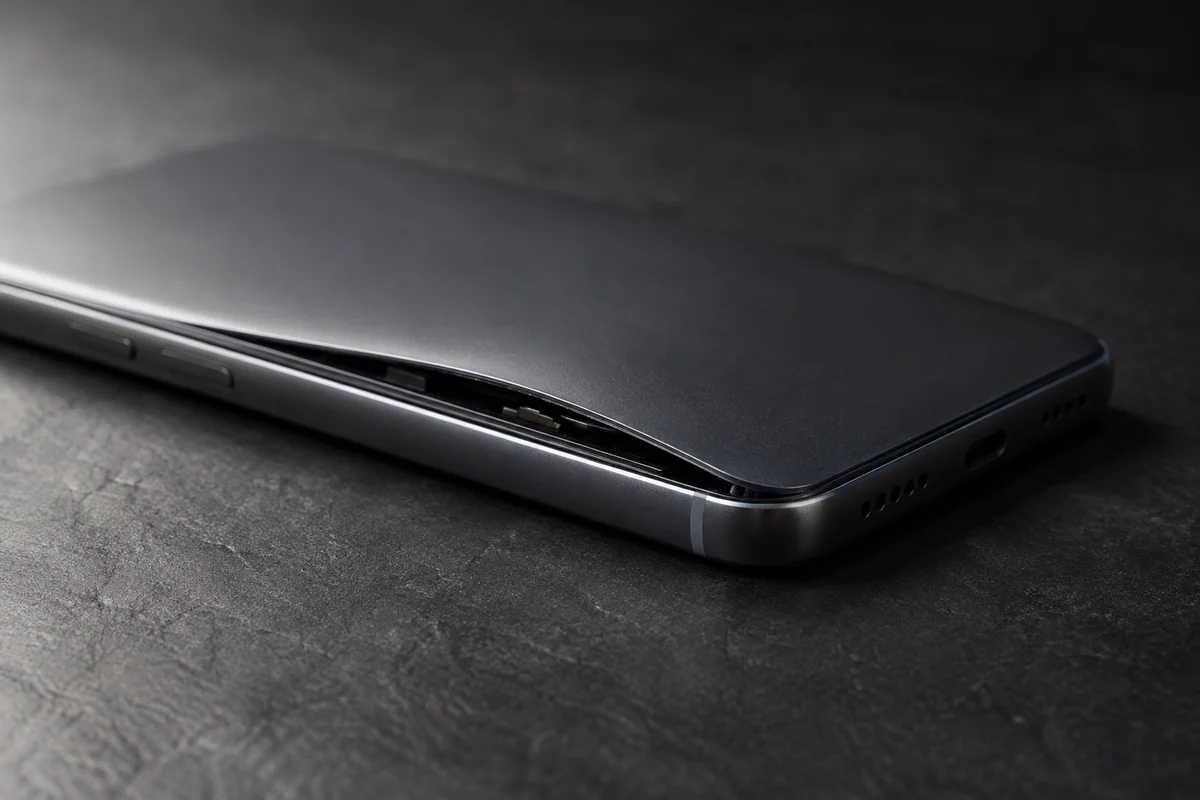
A swollen battery is the one case that can’t wait. If the screen or back panel starts lifting away from the frame, stop using and charging the phone. Don’t press on it and don’t try to pry it open, as a damaged lithium-ion battery can catch fire. Take it to an authorized repair shop.
A battery replacement usually costs far less than a new phone and can make a two- or three-year-old phone feel close to new again. Use the maker’s own service or an authorized repair shop. Cheap no-name batteries may hold less charge than they claim, and some phones show a warning when they can’t verify the battery is genuine.
If you plan to keep your next phone for a long time, two specs are worth checking before you buy. A bigger battery goes through cycles more slowly, so phones with 6,000 mAh or more tend to age more gracefully, and our guide to phone battery capacity (mAh) explains what else affects daily battery life. Long software support matters just as much, and you can find phones with seven years of updates in our Phone Finder.
Battery care checklist: 8 habits that add years
- Keep the phone out of the heat. No sunny dashboards, no beach towels in direct sun, no charging under pillows.
- Turn on the 80% charge limit if you usually have battery left at the end of the day.
- Otherwise, turn on adaptive or optimized charging so the phone doesn’t sit at 100% all night.
- Top up whenever it’s convenient. Partial charges are fine; don’t wait for 0%.
- Take off a thick case if the phone gets hot while charging.
- Avoid gaming while charging, or use a pass-through charging option if your phone has one.
- Use a good charger and cable from your phone’s maker or a trusted brand.
- Store a spare phone at about 50%. Apple recommends powering it off, keeping it below 90°F (32°C) and topping it back up to 50% every six months.
Quick answers
Can you get battery health back to 100%?
No. Lost capacity is a chemical change inside the battery and can’t be reversed by software, apps or recalibration. The only way back to 100% is a new battery.
Is it bad to let your phone battery die completely?
Once in a while it’s fine, because the phone shuts down before the battery is truly empty. Doing it regularly adds wear, and storing a phone with a dead battery for months can damage it.
Is it OK to use your phone while it’s charging?
Yes. Messaging, browsing and calls while charging are fine. Heavy gaming or navigation while fast charging creates a lot of heat, so keep those sessions short or let the phone cool down first.
Does a new phone need a full charge before first use?
No. That advice dates back to older battery types. A lithium-ion battery can be used right away and charged whenever it suits you.
What battery health percentage is bad?
Below about 80% is generally considered a worn battery, and that’s when Apple and Google suggest a replacement. Between 80% and 90%, most people simply notice the phone lasts a bit less than it used to.
Does an 80% charge limit really make a difference?
Yes, it reduces the time the battery spends at its highest, most stressful voltage, which is why Apple, Google and Samsung all build it in. The benefit adds up over years, not days.