Do Megapixels Matter? Phone Camera Specs Explained
More megapixels don’t automatically mean better photos. Here’s what phone camera specs really mean and how many megapixels you actually need.
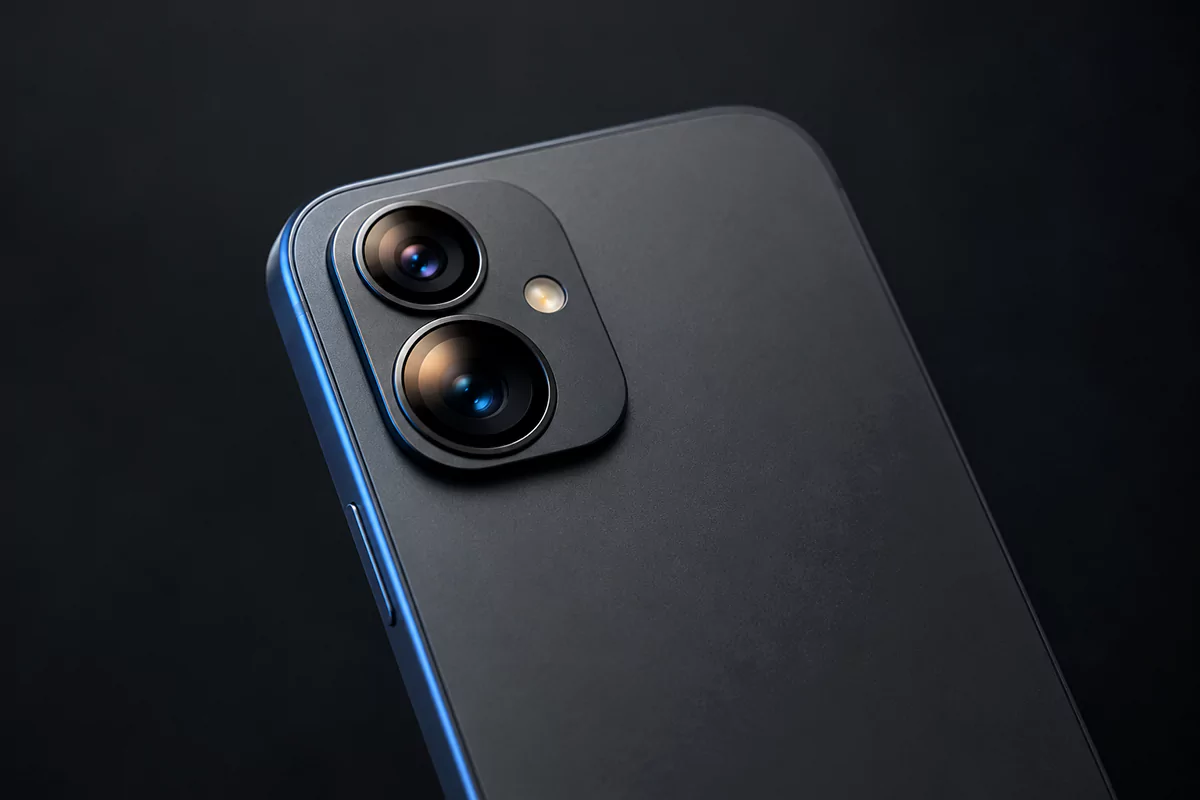
Phone ads love big numbers: 50 MP, 108 MP, even 200 MP. So do megapixels matter on a phone camera? They do, but far less than the spec sheet suggests. This guide explains what megapixels really do, which camera specs matter more, and how to read a phone camera spec sheet without falling for the marketing.
The short answer
- Megapixels matter less than you think. A 12 MP photo is enough for phone screens, social media, a 4K TV and prints up to about 10×13 inches.
- Sensor size matters more. A bigger sensor gathers more light, which means cleaner night photos, better dynamic range and more natural background blur.
- Most 48–200 MP cameras don’t save photos at full resolution by default. They combine neighboring pixels (pixel binning) and save cleaner 12 MP or 24 MP photos.
- High megapixels help in good light: for cropping, large prints and 8K video.
- Also check the aperture (a lower f-number lets in more light), optical image stabilization (OIS) and sample photos, because processing changes everything.
What is a megapixel?
A megapixel (MP) is one million pixels. A camera’s megapixel count tells you how many tiny light-sensitive points its sensor has, and how many pixels a full-size photo contains. A 12 MP photo is about 4,000 × 3,000 pixels, a 50 MP photo is about 8,160 × 6,120, and a 200 MP photo is roughly 16,320 × 12,240.
So megapixels measure resolution: how much detail a photo can hold. They don’t measure how much light the camera collects, how accurate the colors are or how sharp the lens is. Those things decide whether a photo looks good, and none of them shows up in the megapixel number.
Each pixel on the sensor is a photosite, a microscopic well that collects light and turns it into an electrical signal. Its width is listed in micrometers (µm), thousandths of a millimeter. Keep that in mind: pixel size comes up again below.
How many megapixels do you actually need?
Fewer than most people think. A typical phone screen shows about 2.6 million pixels and a 4K TV about 8.3 million. Instagram displays photos 1,080 pixels wide. Anything you only look at on a screen gets shrunk to these sizes anyway.
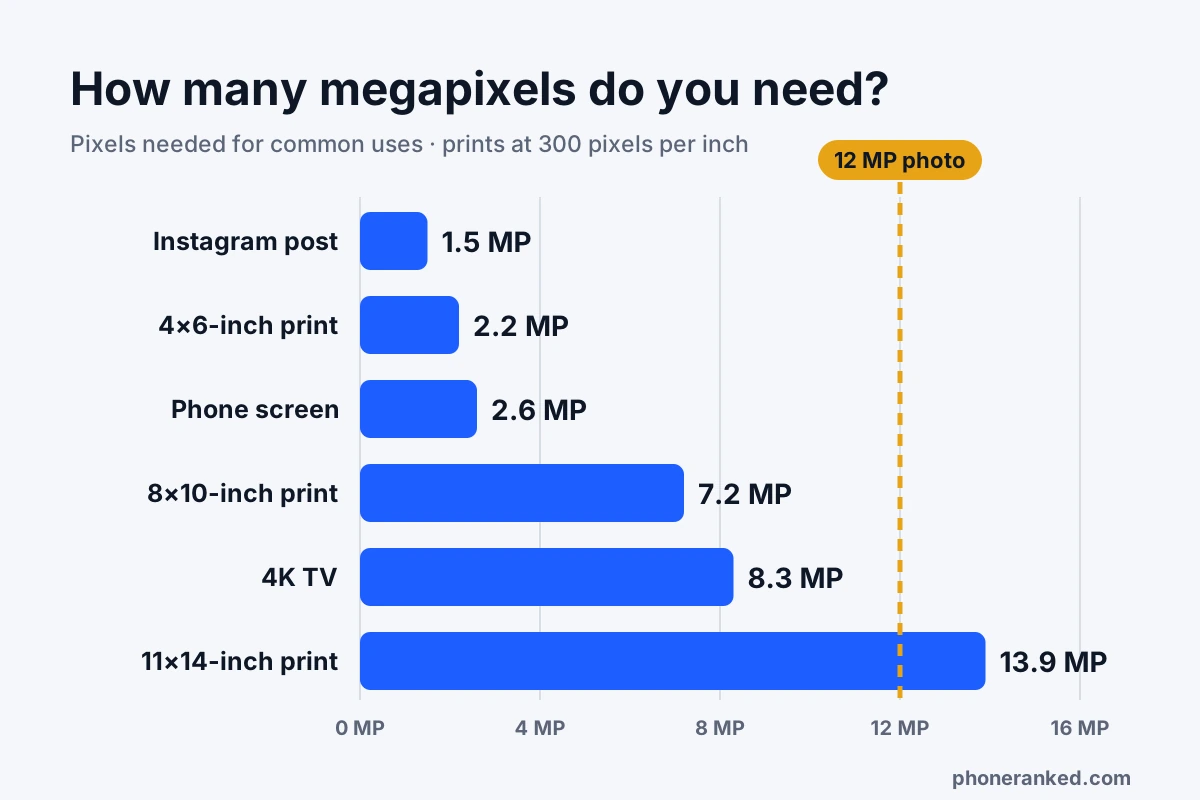
Prints need more, but not as much as you might expect. Photo labs aim for about 300 pixels per inch for a sharp print viewed up close:
| Where the photo ends up | Pixels needed | Megapixels |
|---|---|---|
| Instagram post (portrait) | 1,080 × 1,350 | 1.5 MP |
| Phone screen (1080p) | 1,080 × 2,400 | 2.6 MP |
| 4×6-inch print | 1,200 × 1,800 | 2.2 MP |
| 8×10-inch print | 2,400 × 3,000 | 7.2 MP |
| 4K TV | 3,840 × 2,160 | 8.3 MP |
| 11×14-inch print | 3,300 × 4,200 | 13.9 MP |
A 12 MP photo covers all of this except large prints viewed from close by, and posters on a wall look fine at a lower pixel density because you see them from farther away. Extra megapixels are a reserve for cropping, not a requirement.
Do more megapixels mean better photos?
Not by themselves. A phone’s camera sensor has to fit inside a body less than half an inch thick, so its size is limited. Put more pixels on the same sensor and each pixel gets smaller. Smaller pixels catch less light, so in dim scenes they produce more noise: the grainy, blotchy texture you see in night shots and indoor photos.
Here’s the trade-off in numbers. A 1/1.3-inch sensor can be built with 50 million pixels or 200 million. On Samsung’s 200 MP ISOCELL HP2, each pixel is 0.6 µm wide. Split the same area into 50 million pixels and each one is twice as wide, so it covers four times the area and catches about four times as much light.
That’s why a 50 MP camera with a big sensor usually beats a 200 MP camera with a small one, and why a 12 MP phone camera can take better photos than a 108 MP one. Extra megapixels only add visible detail when there’s plenty of light, the lens is sharp enough to resolve it and the phone is held steady. In bright daylight, a high-resolution sensor can capture finer detail in landscapes, buildings and text. In a dim restaurant, it has no advantage, and phones switch to a lower-resolution mode to cope.
Sensor size: the camera spec that matters most
If you check only one camera spec, make it the size of the main sensor. A bigger sensor collects more light in the same moment, and that gives you:
- Cleaner low-light photos with less noise and less heavy-handed smoothing.
- Better dynamic range: more detail in bright skies and dark shadows in the same shot.
- Sharper photos of moving subjects, because the camera can use a faster shutter speed.
- More natural background blur without portrait mode, because a bigger sensor gives a shallower depth of field.
How to read sensor sizes like 1/1.3″
Sensor sizes are written as fractions of an inch, such as 1/2.8″, 1/1.56″ or 1/1.3″. The bigger the number after the slash, the smaller the sensor, so 1/1.3″ is much larger than 1/2.8″. The odd naming dates back to the glass tubes in old TV cameras, and the numbers don’t match real measurements: a “1-inch type” sensor is only about 16 mm (0.63 inch) across the diagonal.
| Main sensor size | Where you typically find it |
|---|---|
| 1/2.8″ to 1/2″ | Budget phones; also the ultrawide, telephoto and front cameras of many other phones |
| 1/1.95″ to 1/1.5″ | Mid-range phones |
| 1/1.4″ to 1/1.28″ | Most flagship phones |
| 1-inch type | Camera-focused flagships |
Because area grows with the square of the size, the gaps are bigger than they look: a 1/1.3″ sensor has roughly four times the area of a 1/2.8″ one. Brands don’t always put sensor size on the box, but most list it on the full spec sheet, and we include it in the camera details on each phone page when the maker publishes it.
Pixel binning: why your 50 MP camera saves 12 MP photos
Most high-megapixel phone sensors use pixel binning: they group neighboring pixels and combine them into one bigger “virtual” pixel. Combining four pixels (4-in-1, which Sony calls Quad Bayer and Samsung calls Tetrapixel) turns a 48 or 50 MP sensor into a 12 MP camera. Combining 16 pixels turns a 200 MP sensor into a 12.5 MP one.
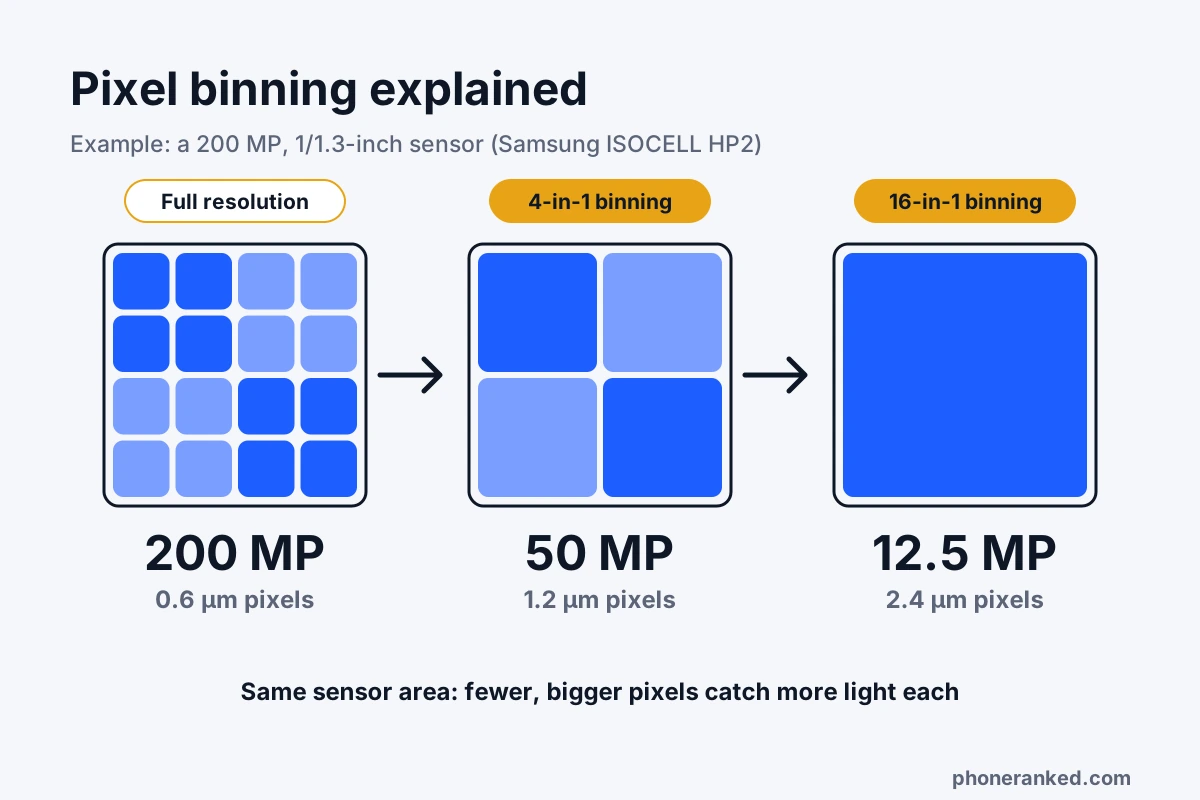
Samsung’s ISOCELL HP2 is a good example. At full resolution it shoots 200 MP with 0.6 µm pixels. Binned 4-in-1, it shoots 50 MP with 1.2 µm pixels; binned 16-in-1, 12.5 MP with 2.4 µm pixels, which suits dark scenes.
Binning gives one camera two personalities: lots of detail in bright light, cleaner photos in dim light. That’s why most phones save binned 12 MP photos by default and keep full resolution as a separate mode, often labeled “50MP”, “200MP” or “High resolution” in the camera app. Apple takes a middle road: its 48 MP main cameras save 24 MP photos by default, which Apple says balances image quality and file size.
Binning isn’t magic, though. A binned 12 MP photo from a 50 MP sensor is roughly as clean as one from a true 12 MP sensor of the same size, not cleaner. The real benefit is flexibility. So when you see “50 MP” on a spec sheet, read it as “a 12 MP camera that can also take 50 MP photos in good light.”
Aperture: what f/1.8 means
Aperture is the opening that lets light through the lens. It’s written as an f-number, like f/1.7 or f/2.2, and the scale runs backward: the smaller the number, the wider the opening and the more light gets in.
The difference adds up quickly. The light a lens lets in grows with the square of the f-number ratio, so an f/1.8 lens passes about 1.8 times as much light as an f/2.4 lens on the same sensor.
There are two catches. First, compare f-numbers only between cameras with similar sensors. The total light a camera collects depends on both, so an f/1.9 lens on a big 1-inch-type sensor gathers far more light than an f/1.6 lens on a small sensor. Second, a wider aperture also means a thinner zone in focus. That’s nice for portraits but can blur the edges of a close-up, which is why a few phones have a variable aperture that switches between settings.
OIS vs EIS: why stabilization matters for photos too
Optical image stabilization (OIS) uses tiny motors to move the lens, or the whole sensor in sensor-shift designs, to cancel out hand shake. Electronic image stabilization (EIS) works in software: it crops the frame slightly and shifts it from one video frame to the next to smooth out motion.
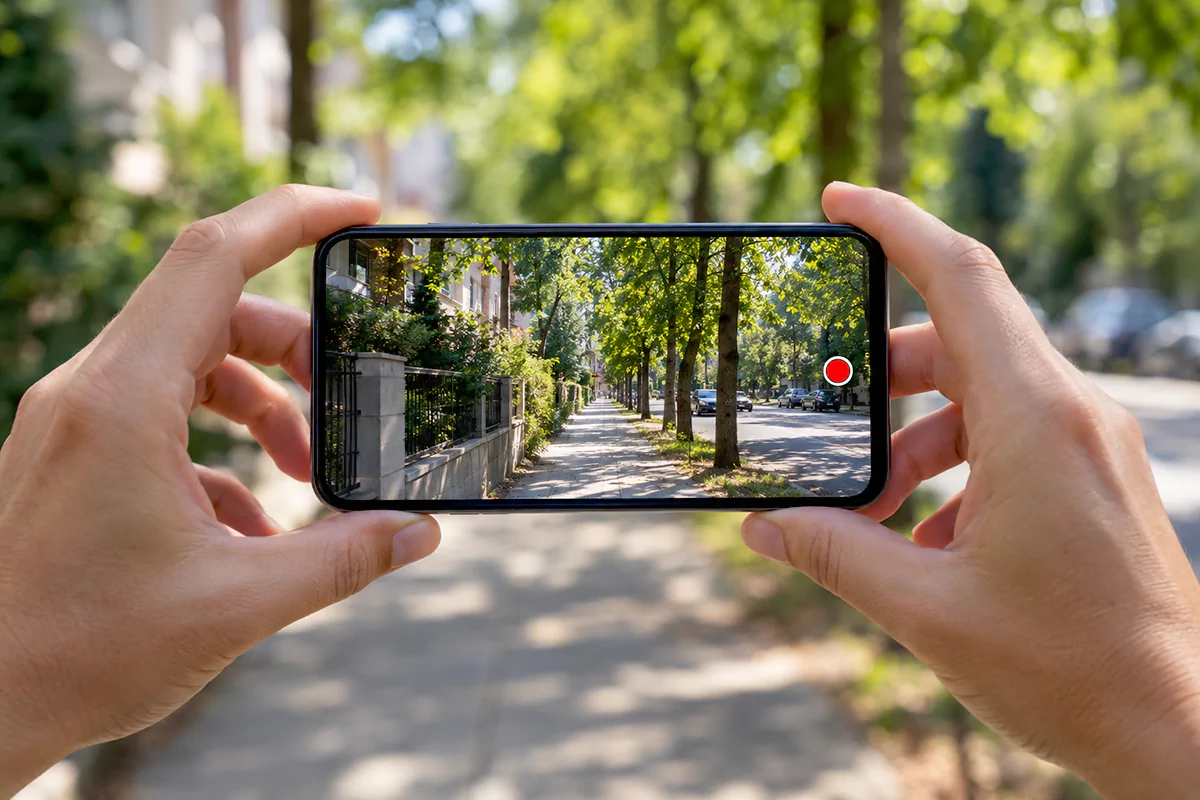
OIS is the one that helps photos. Because it keeps the image steady while the shutter is open, the phone can use a longer exposure at night without blur, which means brighter, cleaner low-light shots. EIS works well for video but can’t remove blur within a single exposure. The best phones use both: OIS for photos and steadier footage, EIS on top for walking shots.
OIS on the main camera is common on mid-range and flagship phones and often missing on cheaper ones, so it’s worth checking. You can filter for it in the Phone Finder.
When high megapixels do help
High resolution isn’t useless. It pays off in a few situations, mostly in good light:
- Cropping. Crop a 50 MP photo to its center quarter (half the width and half the height) and you still have 12.5 MP, so you can reframe a shot later or pull out a detail. Phones use the same trick for 2× shots from the main camera, which is different from true optical zoom.
- Large prints. For prints bigger than about 11×14 inches that people look at up close, more pixels help.
- Landscapes and architecture in daylight, where fine detail like leaves, brickwork and distant signs is the point.
- 8K video. An 8K frame is 7,680 × 4,320 pixels, about 33 MP, so recording 8K needs a sensor with at least that many pixels. 4K needs only 8.3 MP.
The costs: full-resolution photos are slower to take, noisier in dim light and much bigger. A 200 MP image takes several times the space of a 12 MP shot, and some phones turn off features like night mode in full-resolution mode. If you shoot that way often, plan for more space (see how much storage you need).
Why two phones with the same sensor take different photos
Phone photos are made as much by software as by hardware. When you press the shutter, most phones capture several frames and merge them to reduce noise and keep detail in both bright and dark areas. This is computational photography, and the heavy lifting is done by the image signal processor (ISP) inside the phone’s chip (see phone chipsets explained).
That’s why the same sensor can produce noticeably different photos in phones from two brands: one may sharpen hard and push colors, another keeps a more natural look. Lens quality differs too. Specs tell you what the hardware can do; sample photos show what the phone actually does with it.
Camera spec tricks to watch out for
- Extra cameras that add little. A “triple camera” or “quad camera” on a budget phone often includes 2 MP macro and depth cameras. They raise the camera count but rarely improve your photos. Count the cameras you’ll actually use: main, ultrawide and telephoto.
- The big number belongs to one camera. “108 MP camera” refers to the main camera. The ultrawide, telephoto and front cameras usually have smaller sensors and fewer megapixels.
- Upscaled resolution. Some phones enlarge photos in software to a bigger pixel count. That adds pixels, not detail.
- 8K as a headline. 8K recording sounds impressive, but 4K at 60 fps with good stabilization is more useful for most people.
How to compare phone cameras on a spec sheet
- Start with the main sensor size. 1/1.4″ or larger is flagship class, around 1/1.5″ to 1/1.95″ is solid mid-range, and around 1/2.8″ is basic.
- Check for OIS on the main camera. It matters for night photos and video.
- Compare apertures between phones with similar sensors: a lower f-number is better.
- Treat megapixels as a tiebreaker. 12 to 50 MP covers almost everyone; 200 MP is mainly useful for cropping and big prints.
- Look at the other cameras. A good ultrawide, and a telephoto if you shoot distant subjects, adds more than a higher megapixel count.
- Check video specs if you film. 4K at 60 fps with stabilization is a good baseline.
- Then look at real photos. Processing makes a big difference, so check sample photos and reviews before you decide.
Our best camera phones ranking works the same way: its camera score looks at main sensor size, optical zoom, stabilization, the ultrawide and front cameras and video, not just megapixels.
Quick answers
Is 50 MP better than 12 MP?
Not automatically. A 50 MP camera can capture more detail in good light, but most save 12 MP photos by default anyway. Between two phones, the one with the bigger sensor and OIS usually takes better photos, whatever the megapixel count.
Is a 200 MP camera worth it?
Only if you crop a lot or make large prints. In everyday use, 200 MP sensors bin down to 12.5 MP or 50 MP, and their real strength is usually their large sensor size, not the pixel count.
Should I shoot in 50 MP or 200 MP mode?
Use it for well-lit landscapes, architecture or shots you plan to crop or print big. Leave the default mode on for low light, moving subjects and everyday photos: it’s faster, cleaner and saves space.
Why are photos from my 50 MP phone only 12 MP?
Because the phone uses pixel binning: it combines groups of four pixels into one to get cleaner, brighter photos. The full 50 MP mode is usually a separate setting in the camera app.
Do more megapixels make better selfies?
Not really. Front cameras have small sensors, so lighting and processing matter far more. A 12 MP front camera is plenty for video calls and social media.
Do megapixels affect video quality?
Only up to a point. 4K video needs just 8.3 MP and 8K needs about 33 MP. Beyond that, video quality depends on sensor size, stabilization and processing.